
Remote Hikvision Setup & Technical Support in Malaysia
Comprehensive remote CCTV support: NVR & IP camera setup, Turbo HD DVR configuration, emergency SADP password reset, Hik-Connect offline fiber reconnection (Unifi, Maxis, Time), and iVMS-4200 PC/Mac desktop client setup across Malaysia.
Struggling to configure Hikvision cameras? Local contractors refusing DIY sets?
Many homeowners and business owners in KL, Selangor, Johor, and Penang buy Hikvision sets on Shopee Malaysia, Lazada, PG Mall, or Low Yat online stores. But configuring TM Unifi or Maxis Fibre routers and SADP IP addresses is frustrating, and local technicians often decline to configure DIY sets. If your app says "Offline" or your IP cameras won't link, do not return your set. Our certified engineers configure your entire setup remotely via UltraViewer in 30 minutes!
Comprehensive Remote Hikvision CCTV Solutions in Malaysia
Transparent fixed pricing in Ringgit RM with zero callout fees across TM Unifi, Maxis, and TIME Fibre.
Hikvision Password Reset (Official SADP XML Unlock)
- Official manufacturer SADP XML unlock key generation
- Admin password recovery & pattern lock removal
- Safe remote unlock session via UltraViewer / AnyDesk
- Instant 10–15 minute emergency turnaround
- 100% Money-back guarantee if unable to unlock
Hikvision NVR & IP Camera Setup (New & Old Devices)
- IP camera discovery & initial batch activation
- Static IP subnet configuration matching Unifi/Maxis router
- Hard disk (HDD) format & recording schedule setup
- Date, time & NTP network server synchronization
- Hik-Connect cloud setup for mobile phone live view
Hikvision DVR Setup (Analog & Turbo HD - New & Old)
- DVR initial setup & system configuration
- Hard disk (HDD) format & continuous/motion recording setup
- Video encoding & resolution optimization
- Date, time & NTP clock synchronization
- Hik-Connect cloud setup for mobile phone live view
Hikvision Device Offline & TM Unifi / Maxis Router Fix
- Diagnostic of NVR/DVR cloud communication status
- Router subnet conflict & gateway resolution
- DNS & network parameter reconfiguration after router change
- Restoring "Online" status on Hik-Connect app
- 100% Online live view verification on your phone
Hikvision iVMS-4200 PC & Mac Client Setup
- Official iVMS-4200 client installation & configuration on Windows PC or macOS
- Device importing via Hik-Connect Cloud P2P or local IP/Domain
- Custom multi-screen live-view matrix layout (4-split, 9-split, 16-split monitors)
- Multi-location NVR consolidation onto a single desktop screen
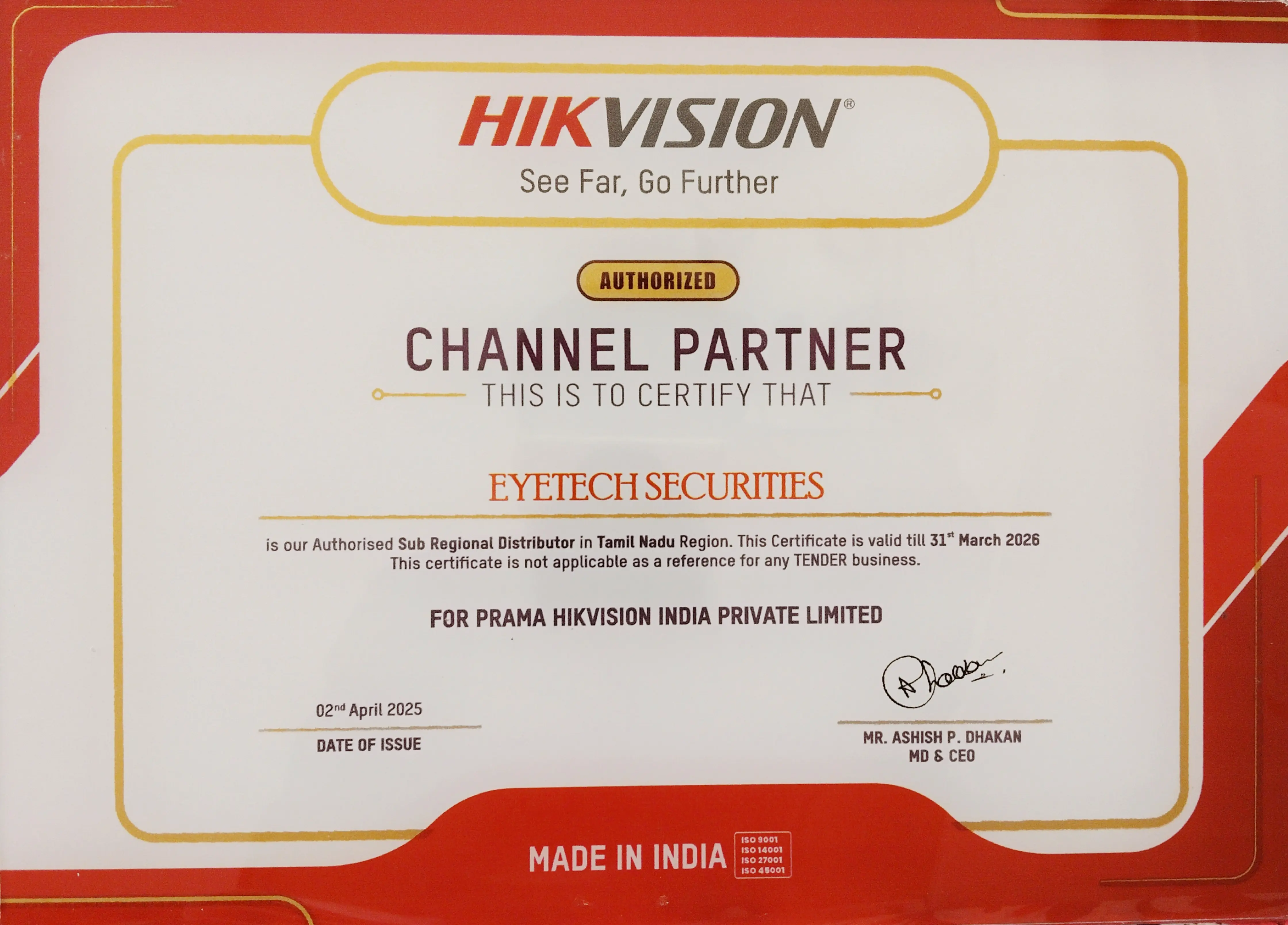
Official Hikvision Authorized Dealer & Certified CCTV Specialists
Unlike anonymous freelance technicians, Eye Tech Securities is an accredited Hikvision Authorized Dealer. When you book a remote session, your CCTV infrastructure is handled by factory-trained specialists using genuine diagnostic tools, official firmware channels, and certified manufacturer unlock workflows.
Official SADP XML Unlocking
Official manufacturer unlock keys generated securely. Zero risky backdoor scripts or cracked firmware.
Encrypted Live Screen Session
You watch every click on your monitor via UltraViewer / AnyDesk. Connection ends permanently when you close the app.
100% Success or Full Refund
Guaranteed resolution on all password resets, unbinds, and network reconnects, or an instant 100% refund.
Zero Data Retention Policy
We never record, view, or retain your camera streams, passwords, or network credentials.
100% Compatible with All Malaysian Fiber Broadband Providers
Zero router headaches. We seamlessly configure your CCTV network across any Malaysian internet provider:
D-Link, ZTE & Fiber Gateways
Huawei & Kaon Wi-Fi 6 Routers
Gigabit Fiber & Mesh Systems
Home Fiber & 5G Wireless
Malaysia Remote CCTV Setup Packages (Ringgit RM)
No expensive callout charges or ticking hourly rates. One fixed package fee based on your camera count.
4-Channel Pack
Terrace houses, condominiums & retail shops
- Up to 4 IP cameras (PoE or switch)
- Unifi/Maxis fiber router IP setup
- Hik-Connect mobile live view & alerts
- Secure UltraViewer or AnyDesk session
8-Channel Pack
Semi-D homes, shoplots & restaurants
- Everything in 4-CH Pack included
- Up to 8 IP cameras (Hikvision & ONVIF)
- HDD formatting & recording schedule setup
- Push notifications & motion trigger setup
- Firmware check & security hardening
16-Channel Pack
Industrial factories, warehouses & multi-branch
- Everything in 8-CH Pack included
- Up to 16 IP cameras configured
- AcuSense AI setup (Human & Vehicle)
- Bitrate optimisation & H.265+ compression
- iVMS-4200 PC monitoring client setup
16+ Cameras
Multi-branch franchises, estates & logistics hubs
- 32-CH & 64-CH NVR setup
- Multi-switch & VLAN network routing
- PTZ preset patrol & smart tracking
- Multi-user role permissions & sub-accounts
Forgot Hikvision Admin Password? 15-Minute Remote Reset in Malaysia
Locked out of your NVR in KL, Penang, or JB? System shows "The device has been added to another account"? Local installers charge RM 150–RM 280 for a site visit. We generate cryptographic XML unlock keys and reset your password remotely in 10–15 minutes.
Secure Payment in Malaysian Ringgit (RM)
Payments processed via official encrypted checkout (Credit/Debit Cards with 3D-Secure bank OTP or PayPal). Zero card details stored.
Free Initial Network Verification
We connect on UltraViewer first to verify that your NVR and cameras are detected on your local network before taking payment.
3D-Secure Bank Authentication
Approved with OTP via your Malaysian bank app (Maybank, CIMB, Public Bank, RHB, Hong Leong).
7-Day Post-Setup Warranty
Complimentary follow-up assistance for 7 days to ensure mobile alerts and continuous recording stay stable.
How Does Remote Malaysia Setup Work?
In less than 45 minutes, your surveillance system is online without waiting days or paying expensive site visit fees.
Cabling & Power
Connect the NVR and IP cameras to your TM Unifi or Maxis router/switch.
Download UltraViewer
Install free UltraViewer (recommended for stable sessions) or AnyDesk on your PC.
Download UltraViewerShare Credentials
Send your UltraViewer Partner ID and Password to our technician via WhatsApp.
Live Setup & Test
We configure the NVR, sync your mobile app, and verify live feeds together.
Remote Setup Across All Malaysian States & Territories
Why pay high technician site visit charges? With our remote UltraViewer support, get instant certified Hikvision configuration anywhere in Malaysia at an upfront, flat fee.
Kuala Lumpur & Putrajaya
KLCC, Mont Kiara, Bangsar, Cheras, Kepong, Bukit Bintang, Wangsa Maju, Putrajaya, Cyberjaya.
Selangor & Klang Valley
Petaling Jaya, Subang Jaya, Shah Alam, Klang, Puchong, Rawang, Kajang, Ampang.
Penang & Northern Region
George Town, Bayan Lepas, Butterworth, Bukit Mertajam, Ipoh, Taiping, Alor Setar.
Johor & Southern Region
Johor Bahru, Skudai, Iskandar Puteri, Kulai, Batu Pahat, Muar, Melaka City.
East Coast
Kuantan, Kota Bharu, Kuala Terengganu, Kemaman, Temerloh.
Sabah & Sarawak
Kota Kinabalu, Sandakan, Kuching, Miri, Sibu, Bintulu.
Looking for Singapore, UK or Australia Setup?
Visit our Eye Tech Securities Homepage for our full electronic security portfolio, or view our Complete CCTV Packages. See also our country services: Singapore Setup ($ SGD), UK Setup (£) and Australia Setup ($ AUD).
Frequently Asked Questions (Malaysia)
Everything you need to know about remote Hikvision NVR configuration in Malaysia.
Does this work with TM Unifi, Maxis Fibre and Time Internet routers?
Yes, absolutely! We configure Hikvision NVRs across all Malaysian fiber broadband providers including TM Unifi, Maxis Home Fibre, and Time Internet. We resolve local IP conflicts, assign static DHCP leases, and guarantee smooth Hik-Connect mobile access.
Can you configure Hikvision equipment purchased on Shopee MY or Lazada?
Yes! Whether you purchased your hardware on Shopee Malaysia, Lazada, Jalan Pasar electronics shops, or local security wholesalers, we configure any genuine Hikvision hardware.
Can we communicate in English or Tamil?
Yes! Our technical team communicates fluently in English and Tamil. You can reach out directly via WhatsApp text or UltraViewer in your preferred language.
How is payment handled in Malaysian Ringgit (RM)?
Payment is made securely in Ringgit via Credit/Debit Card (Visa, Mastercard with 3D-Secure bank OTP) or PayPal. We conduct a free initial check on UltraViewer before requesting payment.
Ready to Connect Your Hikvision Cameras in Malaysia?
Message our certified engineers on WhatsApp with your NVR model. We'll book your remote session today!